Oracle EBS R12.1.3
Database 11.1.0.7.0
Operating System Oracle Enterprise Linux Server 5.8
Description:
Production hostname is EBSPROD
Test hostname is EBSTEST
Solution:
I am going to clone my Production server using file system cold backup.
Execute adpreclone.pl on DB Tier of EBSPROD:
$ cd /d01/oracle/PROD/db/tech_st/11.1.0/appsutil/scripts/PROD_ebsprod
$ perl adpreclone.pl dbTier pwd=apps
After completion of above script, then go to APPS Tier of EBSPROD:
$ cd /d01/oracle/PROD/inst/apps/PROD_ebsprod/admin/scripts
$ perl adpreclone.pl appsTier pwd=apps
After complete the above script, shutdown all services of APPS and DB and make tar files:
$ tar -czf PROD_DB_15Mar17_0030.tar.gz /d01/oracle/PROD/db
$ tar -czf PROD_APPS_15Mar17_0030.tar.gz /d01/oracle/PROD/apps
$ tar -czf PROD_INST_15Mar17_0030.tar.gz /d01/oracle/PROD/inst
$ tar -czf PROD_ARC_15Mar17_0030.tar.gz /archivelogs
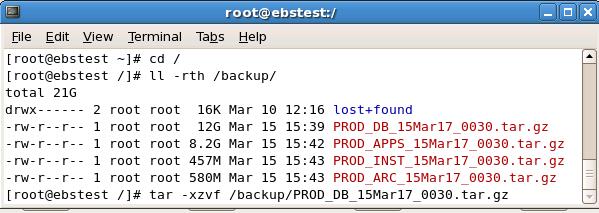
After installation of OS and all necessary RPM’s and configuration, copy the above files on EBSTEST.
Now untar the above files one by one:
$ tar –xzvf /backup/PROD_DB_15Mar17_0030.tar.gz
$ tar –xzvf /backup/PROD_APPS_15Mar17_0030.tar.gz
$ tar –xzvf /backup/PROD_INST_15Mar17_0030.tar.gz
$ tar –xzvf /backup/PROD_ARC_15Mar17_0030.tar.gz
Now start the cloning process on DB Tier first:


Database Tier has been successfully cloned. All services of Database Tier are up and running.
Now we are going to start the cloning process at APPS Tier:


We have cloned successfully.
Your comments, especially which will help us improve the functionality, will be greatly appreciated.


