Friday, February 15, 2013

Export from Oracle Application Form did not save

Export from Oracle Application not save


Currently uses:
Oracle Enterprise Linux 5.5
Database 11gR2
Oracle EBS Application R12
IE 8 Windows 7

Description:
I am facing the problem while exporting data from Oracle Application form, export file did not save or I did not found where it save:


Solution:

Solution is very simple, just hold CTRL key while export now you have the option to save the export file where you want and in desired format:


Your comments, especially which will help us improve the functionality, will be greatly appreciated :)


Comments by Rana Muhammad Junaid:
Enable download option in internet explorer tools-internet options-security for both internet and intranet. And disable popup blocker if it is on. This should resolve this issue permanently and should be able to download without ctrl key. 

Wednesday, January 16, 2013

FRM-92050 failed to connect to Server /forms/servlet -1 Applet / Forms not opening on IE8


FRM-92050 failed to connect to Server /forms/servlet -1 Applet / Forms not opening on IE8


Currently uses:
Oracle Enterprise Linux 5.5
Database 11gR2
Oracle EBS Application R12
IE 8 Windows 7


Description:

I am facing the problem to open applet form on IE 8:


Solution:

After some research work I found the following solution:

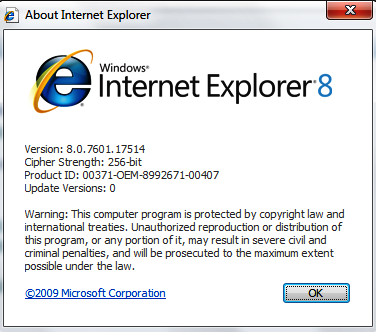
Confirm the IE version is greater or equal to 7:


Go to About Internet Explorer:


Go to Tools --> Internet Options


Go to Security Tab and then on Custom Level


Scroll down using scroll bar and check Enable XSS filter value


Disable the Enable XSS filter 


Apply the changes and retest the issue. 


Your comments, especially which will help us improve the functionality, will be greatly appreciated :)


Wednesday, November 28, 2012

Unable to mount NTFS file system in oracle enterprise linux 5

Unable to mount NTFS file system in oracle enterprise linux 5

Applies to:

Oracle Enterprise Linux 5.5
Database 11gR2


Description:

I am using Oracle Enterprise Linux 5.5, I am trying to mount a NTFS file system USB drive on linux but unable to succeed and got the following error:

 mount -t ntfs /dev/sdb1 /media/usbdrive/
 mount: unknown filesystem type 'ntfs'


Solution:

After some research work I found that install the FUSE and NTFS-3G packages to resolve the issue.


To check the package installed or not:

rpm -qa |grep fuse

To install the packages execute the folloiwng:

rpm -ivh fuse-2.6.3-1.el4.rf.x86_64.rpm
rpm -ivh fuse-ntfs-3g-2010.5.22-1.el5.rf.x86_64.rpm

After successfull installation of packages I can mount the NTFS USB drive successfully:

mount -t ntfs-3g /dev/sdb1  /media/usbdrive/


Your comments, especially which will help us improve the functionality, will be greatly appreciated :)

Tuesday, October 30, 2012

sqlplus: error while loading shared libraries: libclntsh.so.11.1


sqlplus: error while loading shared libraries: cannot restore segment prot after reloc: Permission denied

Applies to:

Oracle Enterprise Linux 5.5
Database 11gR1

Description:

I am using Oracle Enterprise Linux 5.5 and install Oracle Database 11gR1. After successfull installation of OS and Database when I try to login database it give me the following error:


sqlplus / as sysdba
sqlplus: error while loading shared libraries: /d01/app/oracle/product/11.2.0/dbhome_1/lib/libclntsh.so.11.1: cannot restore segment port after reloc: Permission denied


Solution:

Reason of the above error because of SELinux is running in ENFORCING mode, Oracle development has recommended the following workaround while they correct the problem. To check the mode execute the following command from root user:


root> getenforce
Enforcing

Switch SELinux from the default “Enforcing” mode that it is running in, to the “Permissive” mode.

root> setenforce 0

Now check again:

root> getenforce
Permissive

This allows SELinux to continue running, and logging denial messages, but SELinux will not actually deny any operations. Once Development has resolved this issue, you can (and should) return SELinux to the default “Enforcing” mode

Now successfully connect to SQL:

 sqlplus / as sysdba

SQL*Plus: Release 11.2.0.1.0 Production on Tue Oct 30 11:56:08 2012

Copyright (c) 1982, 2009, Oracle.  All rights reserved.

Connected to an idle instance.

SQL> startup;
ORACLE instance started.

Total System Global Area 4275781632 bytes
Fixed Size                  2220200 bytes
Variable Size            1728057176 bytes
Database Buffers         2533359616 bytes
Redo Buffers               12144640 bytes
Database mounted.
Database opened.
SQL> 


Your comments, especially which will help us improve the functionality, will be greatly appreciated :)

Thursday, September 13, 2012

Requested URL/OA_HTML/AppsLogin was not found on this server


Requested URL/OA_HTML/AppsLogin was not found on this server

Applies to:

Oracle Enterprise Linux 5.5
Oracle Application Install - Version: 12.1.1
Database 11gR1

Description:

I recently came across a problem the login page was throwing an error - 404 /OA_HTML/AppsLogin was not found on this server. All services of Database and Listener working fine and get connected. All Application services started successfully without any error/warning on status 0, multiple time restart the services of application and database and also restart the whole machine but still facing the same problem.

Solution:


After some research work I have found the following solution:

The Problem occurs because the wsrp_service.wsdl was owned by root but the services were being started by applmgr.

Ensure that the permission of the file
$ORA_CONFIG_HOME/10.1.3/j2ee/oacore/application-deployments/oacore/html/server-wsdl/wsrp_service.wsdl

Shows that it is owned by root user. Somebody started the services of Apps as root user.
Changed the ownership of the file to Apps Owner.
Restart the service, everything working fine now.


Your comments, especially which will help us improve the functionality, will be greatly appreciated :)

Friday, September 7, 2012

APP-FND-01630, APP-FND-01662, cannot open .dbc file

APP-FND-01630, APP-FND-01662, cannot open .dbc file


Applies to:

I am using: 
Oracle Enterprise Linux 5.5
Oracle Application Install - Version: 11.5.10.0 and later
Database 11gR1

Description:

I recently came across a problem after creating repository for Enterprise Manager of 11g, and unable to login the oracle application, facing the following errors:


Solution:
Locate the .dbc file and issue read/write permissions on it:

cd $FND_SECURE

chmod 777 TEST.dbc


Your comments, especially which will help us improve the functionality, will be greatly appreciated :)

Wednesday, June 27, 2012

tmp folder 100 percent full in linux


tmp folder 100 percent full in Linux

Applies to:

I am using: 
Red Hat Enterprise Linux 5.5
Oracle Application Install - Version: 11.5.10.0 and later

Description:

I recently came across a problem where the /tmp folder was listed as 100% full:

[root@prodapps01 ~]# df -h
Filesystem            Size  Used Avail Use% Mounted on
/dev/cciss/c0d0p2     9.7G  4.2G  5.1G  46% /
/dev/cciss/c0d0p8     2.0G  152M  1.7G   9% /home
/dev/cciss/c0d0p7     3.9G  3.9G  0M  100% /tmp
/dev/cciss/c0d0p6     7.8G  334M  7.1G   5% /var
/dev/cciss/c0d0p5      12G  3.2G  7.9G  29% /usr
/dev/cciss/c0d0p1     494M   32M  437M   7% /boot

Strangely, there were no files in the /tmp folder. This is how it happens. If you delete files from a folder and they still show up when you check a df -h disk status, then the deleted files are linked to currently running processes. You will have to stop or restart the processes that had those files open in the first place.

lsof | grep /tmp

Output of the above command shown below:

httpd  30027    oracle   57u      REG      104,7 24803361  40 /tmp/filemQMbGZ.TMP (deleted)
httpd  30033    oracle   75u      REG      104,7   773833    44 /tmp/file7s8VAe.TMP (deleted)
httpd  30962    oracle   71u      REG      104,7    72391     88 /tmp/filewzh7U1.TMP (deleted)

Solution:

You will need to kill the httpd processes it shows that are linked to the deleted files which will fix the problem.

To kill the httpd processes

killall -e -9 httpd

Or

service httpd restart

[root@prodapps01 ~]# df -h
Filesystem            Size  Used Avail Use% Mounted on
/dev/cciss/c0d0p2     9.7G  4.2G  5.1G  46% /
/dev/cciss/c0d0p8     2.0G  152M  1.7G   9% /home
/dev/cciss/c0d0p7     3.9G  420M  3.3G  12% /tmp
/dev/cciss/c0d0p6     7.8G  334M  7.1G   5% /var
/dev/cciss/c0d0p5      12G  3.2G  7.9G  29% /usr
/dev/cciss/c0d0p1     494M   32M  437M   7% /boot


Your comments, especially which will help us improve the functionality, will be greatly appreciated :)

How to Extend Swap space on LVM Disk Linux

How to Extend Swap space on LVM Disk Linux   Applies to:             Oracle Database 12.2             Oracle Linux 7 Description: ...